The most common failure mode for AI phone ordering isn’t bad speech recognition or awkward conversation flow. It’s stale menu data. A customer calls to order the seasonal special your AI doesn’t know about yet. Someone orders a dish that’s been 86’d for two hours. The AI quotes a price that was updated in your POS three weeks ago but never synced to the voice system. The caller gets a different answer from the AI than from your menu board, and the trust breaks down in a way that’s hard to recover from.
This problem is entirely avoidable — but only if the voice AI reads its menu data from the same source your POS uses, in real time. This is the technical premise behind Tunvo’s MenuSifu integration, and understanding how it works helps explain why it performs differently from voice AI platforms that require manual menu uploads or periodic batch syncs.
Key Takeaways
- Tunvo reads its menu knowledge directly from MenuSifu, using your existing POS data rather than a separately maintained menu profile.
- Changes made in MenuSifu — prices, availability, new items, 86’d dishes — propagate to Tunvo automatically, with no manual update required.
- Item descriptions, modifier groups, and time-based menu rules (like lunch specials) are all part of what Tunvo inherits from your MenuSifu configuration.
- The sync happens continuously — not in daily batches — so the AI’s menu knowledge is always current during service.
- A well-maintained MenuSifu menu directly improves AI call quality: clearer item names and complete modifier trees mean fewer caller misunderstandings.
Why Menu Sync Is the Most Important Technical Detail in Voice AI
The Static Menu Problem
Many voice AI platforms for restaurants work from a static menu file — a document you upload at setup, sometimes in a CSV or PDF format. The AI learns your menu from that file and uses it to answer calls. The problem surfaces immediately in practice: restaurant menus aren’t static. Items get added, removed, repriced, and modified constantly. Seasonal specials appear and disappear. A dish gets 86’d mid-service when you run out of a key ingredient. The happy hour pricing changes at 5 PM.
A voice AI operating from a static menu can’t know any of this. It will continue to quote last month’s prices, offer dishes that are no longer available, and fail to mention the new special your team has been upselling all week. These aren’t edge cases — they’re everyday restaurant realities, and a voice AI that can’t track them creates more problems than it solves.
The Batch Sync Compromise
Some more sophisticated platforms offer periodic sync — the voice AI pulls updated menu data from the POS every few hours, or once per day. This is better than a static file, but it still creates windows of mismatch. If your sous chef 86’s a dish at 7 PM because the protein ran out, and your voice AI syncs at midnight, customers calling between 7 PM and midnight may still be able to order that item — or worse, they complete the order and your kitchen receives a ticket for something they can’t prepare. The resulting conversation between a disappointed customer, a confused kitchen, and a refund request is exactly the kind of friction that erodes trust in your operation.
Real-Time Sync as the Right Standard
Real-time sync — where the voice AI reads directly from the live POS data as each call arrives — eliminates these windows of mismatch. When a customer calls at 7:15 PM to order the dish that went 86’d at 7 PM, the AI’s menu query reflects the current MenuSifu state: the item is unavailable. The AI informs the caller, suggests alternatives from the same category, and takes their revised order. The kitchen never sees a ticket for something they can’t make.
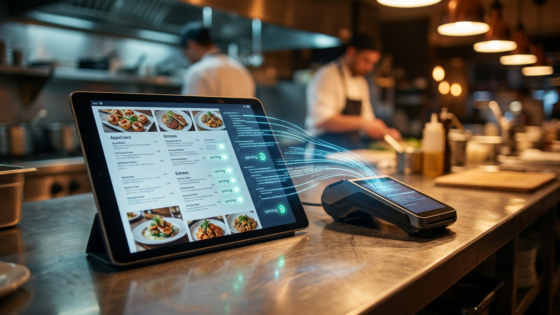
This is how Tunvo’s MenuSifu integration is designed. Menu queries during calls pull live data from your MenuSifu account rather than from a cached copy that might be hours old.
What MenuSifu Data Tunvo Reads
Core Menu Structure: Items, Categories, and Pricing
The foundational menu data Tunvo reads from MenuSifu includes your full item list, organized by the category structure you’ve already configured. If your MenuSifu menu is organized into categories like Appetizers, Soups, Chef’s Specials, and Dim Sum, that same structure shapes how the AI navigates orders and answers questions. When a caller asks “what are your soups?”, the AI can accurately enumerate the category — not from a static list, but from your live MenuSifu category data.
Pricing is read directly from MenuSifu, including any size-based pricing tiers (small/large, half/full) that you’ve configured as item variants. If you update a price in MenuSifu, the AI quotes the new price immediately on the next call — no dashboard update required on the Tunvo side.
Modifier Groups: The Complex Part That Actually Works
Modifier handling is where the MenuSifu integration provides its most meaningful operational value. MenuSifu’s menu management system supports multi-step customization for combos and build-your-own dishes, with permission-based access and the ability to set open-food items with custom pricing. All of that modifier structure — which you configured once when setting up your MenuSifu account — is available to Tunvo’s AI during calls.
In practice, this means the AI knows which modifiers apply to which items. A caller asking for “extra spicy” on a dish that has a spice-level modifier in MenuSifu will be accommodated. A caller asking for a modifier that doesn’t exist for a particular item — say, requesting a size upgrade on a dish that’s only available in one size — will receive a clear “that option isn’t available for this dish” rather than a garbled confirmation that results in a kitchen ticket with a nonsense instruction.
This constraint is protective in both directions. It ensures callers can’t accidentally order invalid combinations, and it ensures kitchen tickets only contain instructions your staff knows how to execute.
Availability Status: The 86’d Item Scenario
MenuSifu allows you to mark items as unavailable with a single action — the item is immediately removed from your active ordering channels. MenuSifu’s menu dashboard lets operators mark items sold out with one click, updating availability across all channels instantly. Tunvo is one of those channels. When an item is marked unavailable in MenuSifu, the AI’s next menu query reflects that status and will not offer or accept orders for that item.
For stock-limited items, MenuSifu also supports automatic removal when inventory hits zero. If you’ve configured an item to auto-remove at a set inventory threshold, that trigger applies to phone orders handled by Tunvo just as it applies to your online and in-person ordering channels. The result is that phone orders can never exceed your actual stock — a protection that’s particularly valuable for high-demand items on busy nights.
Time-Based Menus: Lunch Specials, Happy Hours, and Seasonal Items
MenuSifu supports time-based menu rules — a feature that many restaurants use to manage lunch specials, late-night menus, and promotional periods. When you configure a set of items to appear only between 11 AM and 3 PM, that time rule is respected in the Tunvo integration. A caller at 4 PM asking about the lunch special will be told it’s no longer available and offered the current full menu. The AI doesn’t require you to manually “turn on” and “turn off” items on the Tunvo side — the time logic is inherited from MenuSifu and applied automatically.
How the Sync Works Technically (Without Getting Lost in It)
The Integration Architecture
When you connect Tunvo to your MenuSifu account, you authorize a secure API connection between the two systems. Tunvo uses this connection for two purposes: reading menu data (items, modifiers, availability, pricing) and writing order data (sending completed call orders back into MenuSifu as tickets).
The menu read happens at the start of each call — Tunvo queries the current state of your MenuSifu menu when a caller connects, ensuring that the menu knowledge used during that conversation is as current as possible. This is distinct from a cached copy that was loaded once and sits in memory: each call triggers a fresh read, so a menu change made five minutes before a call is reflected in that call.
What Happens If the Connection Has a Hiccup
No API connection is perfectly reliable, and Tunvo’s design accounts for this. If a real-time menu query fails — due to a network issue, a temporary MenuSifu API delay, or any other transient problem — Tunvo falls back to a recently cached version of your menu rather than dropping the call or presenting the caller with an error. The cache is updated frequently enough that the fallback version is typically only minutes old. For the very short windows when this fallback is used, any discrepancy between the cached menu and the live menu is unlikely to be material.
Order Write-Back: The Other Half of the Sync
Menu sync is about what the AI knows coming into a call. Order write-back is about what happens after the call. When a caller completes their order, Tunvo formats the order data as a native MenuSifu ticket and sends it through the same API connection. The ticket includes the correct item IDs from your MenuSifu catalog (not freeform text), the selected modifiers (referenced by their MenuSifu modifier IDs), and the correct pricing. This is why the order appears in your KDS looking exactly like an order entered by your staff — it’s using the same underlying data structure, not a text transcription that MenuSifu has to interpret.
How to Get the Most Out of the MenuSifu-Tunvo Sync
Menu Hygiene: Why It Matters Now More Than Ever
The quality of what Tunvo can do on a phone call is directly proportional to the quality of your MenuSifu menu data. An AI can only be as informative as the data it reads. If your item descriptions are blank, the AI can’t answer “what’s in the wonton soup?” — it can confirm the item exists and quote the price, but it can’t describe the dish. If your modifier group names are cryptic internal labels (“MOD_GRP_07”) rather than descriptive terms, the AI may struggle to match caller requests to the right modifier.
The Tunvo setup process includes a menu review step for exactly this reason. Spend a few minutes checking that your key items have readable descriptions, that your modifier group names make sense to someone who doesn’t work in your kitchen, and that your pricing is current. This effort benefits not just Tunvo — it improves your online ordering experience, your kiosk presentation, and any other channel that reads from your MenuSifu menu.
Using MenuSifu’s 86’d Feature Proactively
One behavioral change that pays dividends with Tunvo active: get in the habit of marking items unavailable in MenuSifu the moment you know they’re out, rather than managing it ad hoc. When Tunvo is handling phone calls, an un-marked 86’d item can result in orders the kitchen can’t fulfill. With the habit in place — mark it in MenuSifu, the sync takes care of the rest — your phone channel stays as accurate as your in-person and delivery channels.
Frequently Asked Questions
If I add a new item to MenuSifu mid-service, will Tunvo know about it immediately?
Yes. New items added to MenuSifu are available to Tunvo on the next call after they’re saved. There’s no delay, no cache-clearing step required, and no update to make on the Tunvo side. The real-time API connection means your menu additions are immediately available in the voice channel — as soon as you’ve published them in MenuSifu.
What if I run multiple locations on the same MenuSifu account?
Tunvo’s integration is configured per location. Each location has its own voice agent connected to its specific MenuSifu location data. If your locations have different menus — which is common for restaurants with different formats or concepts under one ownership — each voice agent operates from its location-specific menu. Multi-location management works through the Tunvo dashboard, where each location is listed separately with its own configuration and performance metrics.
Does Tunvo read my MenuSifu loyalty pricing or member discounts?
The current integration reads standard menu pricing from MenuSifu. Loyalty program pricing and member-specific discounts require additional configuration. If your MenuSifu loyalty program includes pricing tiers that you want applied to phone orders, contact Tunvo support to discuss how your specific loyalty setup can be configured in the voice channel.
Will my MenuSifu multilingual menu (Chinese item names) display correctly in the AI?
Yes. MenuSifu supports multilingual menu display, including Chinese characters for item names and descriptions. Tunvo’s AI can reference Chinese item names during Mandarin-language calls, allowing a caller to order by the Chinese name of a dish and have that request match correctly to the right MenuSifu item ID. This is particularly useful for dishes with Chinese names that don’t translate cleanly into English menu descriptions.
Real-time menu sync is one of those technical details that you notice only when it works — or when it doesn’t. With Tunvo and MenuSifu connected, your phone channel stays as accurate as your other ordering channels, automatically. Start your 15-day free trial to connect your MenuSifu menu to Tunvo’s voice AI, or book a demo to see the menu sync in action.